

Introduction to Optimising Website Ad Performance Using Content Ignite’s Experiment Technology
At Content Ignite, we’ve spent years manually fine-tuning ad placements and configurations to ensure a publisher is maximising revenue while maintaining a smooth user experience. Our Advertising Operations worked closely with our Technical team to try and develop an experiment technology solution that could allow for quick and easy experiments to be set up in our Fusion platform and with an expert user interface to review the data. Content Ignite’s advanced experiment technology now offers a powerful platform for publishers to test, refine, and perfect their ad revenue strategies - and this article discusses several strategic suggestions and improvements for our publishers that can be implemented using this technology to enhance the ad performance.
To understand how to implement experiments, it’s important to understand our "tag configs". Each tag config, within the master publisher tag, defines the behaviour and targeting for a specific ad unit type, such as in-image or adhesion ads. These configs are highly customisable, allowing you to create multiple setups that align with your site’s structure and advertising goals. For instance, if you need in-image ads on desktop and tablet, but under-image ads on mobile, you can easily create two separate configs that share the same targeting criteria but differ in device and positional behaviour. This flexibility ensures that each ad unit is perfectly tailored to its environment, maximising performance across all devices. Our tag configs allow you to experiment with under-image ads versus in-image ads to determine which one generates you the most revenue, but also check metrics like viewability or fill rates to allow you to make the right decision on which monetisation route to take.
How can you create an experiment?
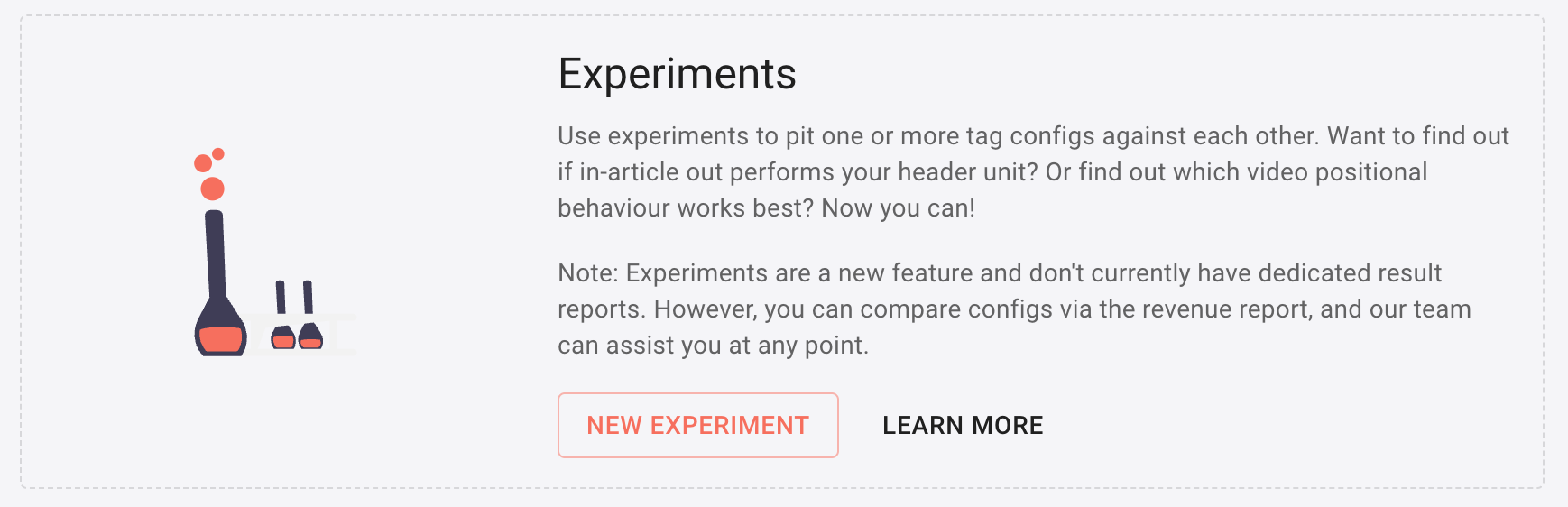
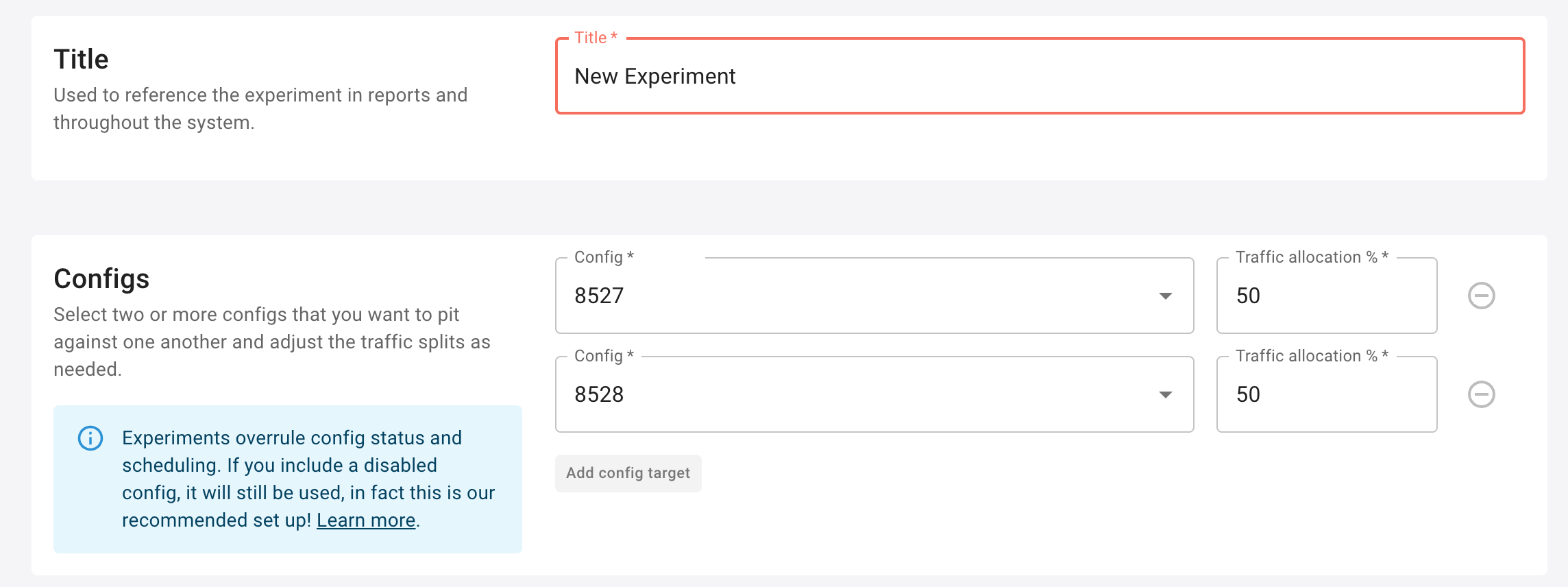
- When you are in a specific Publisher page, navigate to below where your “tag configs” are listed, to the
Experimentsection and clickNEW EXPERIMENT - Add a
Title - Add one or more
Configs - Add any additional
Targetingthat you’d like to add (you don’t need to do this if you have already set the Targeting you want at the tag config level) - Add the
Schedulingfor when you want the Experiment to run from and to - And last but not least, in the
Actionssection, decide if you want to auto-activate the winner of the experiment based on the Experiment RPM.
Multi-sized Ad Placements
Adding new creative sizes into an ad placement won’t be a new thing for most website owners. Generally however, it requires a developer or a level of technical expertise to implement and execute these type of changes through the Google Publisher Tag. Adding in new creative sizes can increase revenue and auction competition within each placement - which makes it well worth trialling new creative sizes in specific ad placements you have on each page.
How can you set up multi-sized ad placements?
- Duplicate an existing “tag config”
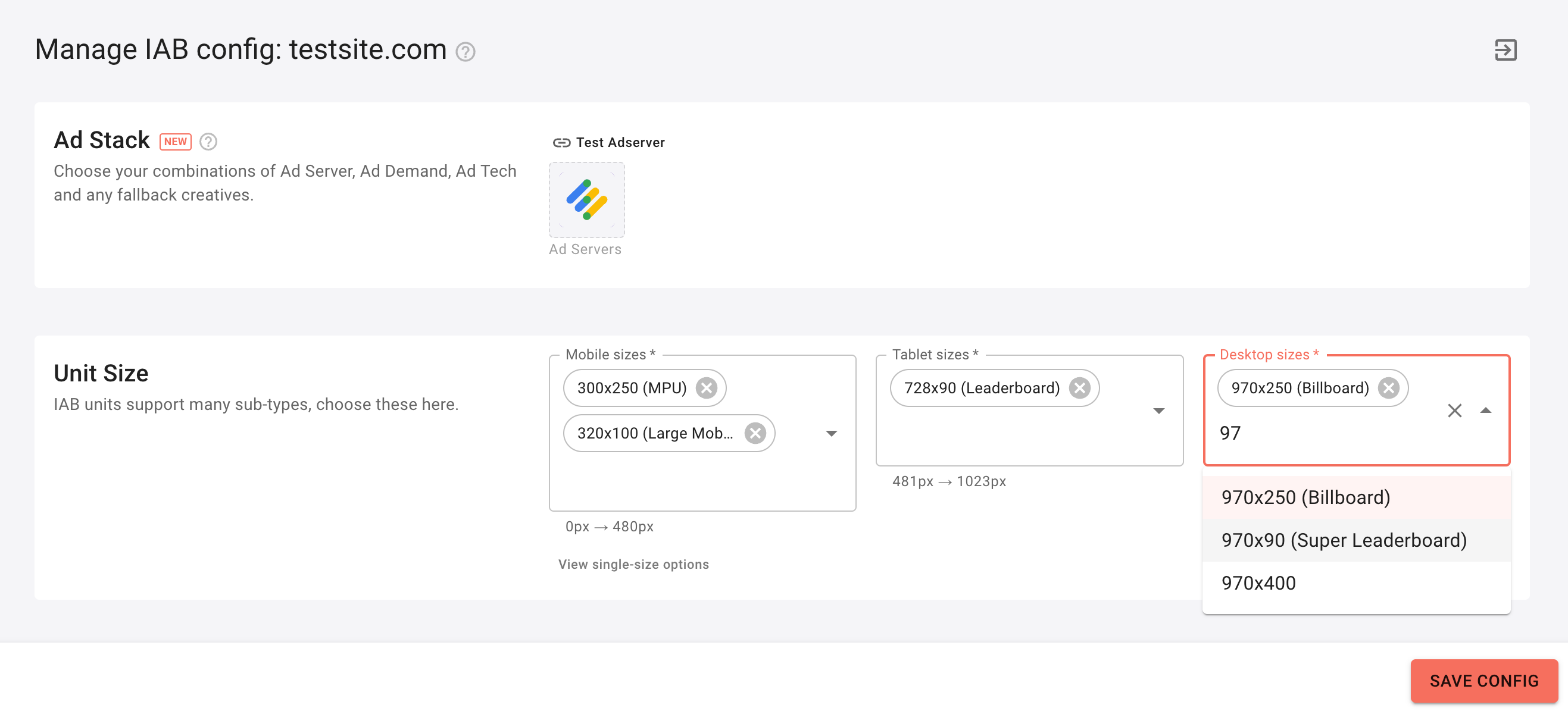
- For an IAB unit for example, head to the
Unit Sizesection and add in the sizes for Mobile, Tablet and Desktop that you require - Click
SAVE CONFIG - If you are running an experiment, you can leave this “tag config” de-activated, the experiment will automatically activate it on the start date.
- Follow the Experiment setup above
Tackling SSP Timeouts
Supply-Side Platform (SSP) timeouts are a common issue that can significantly affect revenue by reducing the fill rate, viewability and overall ad performance. Content Ignite’s experiment platform allows publishers to monitor SSP performance across different configurations, identifying those that cause delays. By setting up experiments to compare SSPs with varying timeout settings, publishers can determine the optimal configuration that minimises timeouts while maintaining revenue performance.
How can you set up a timeout experiment?
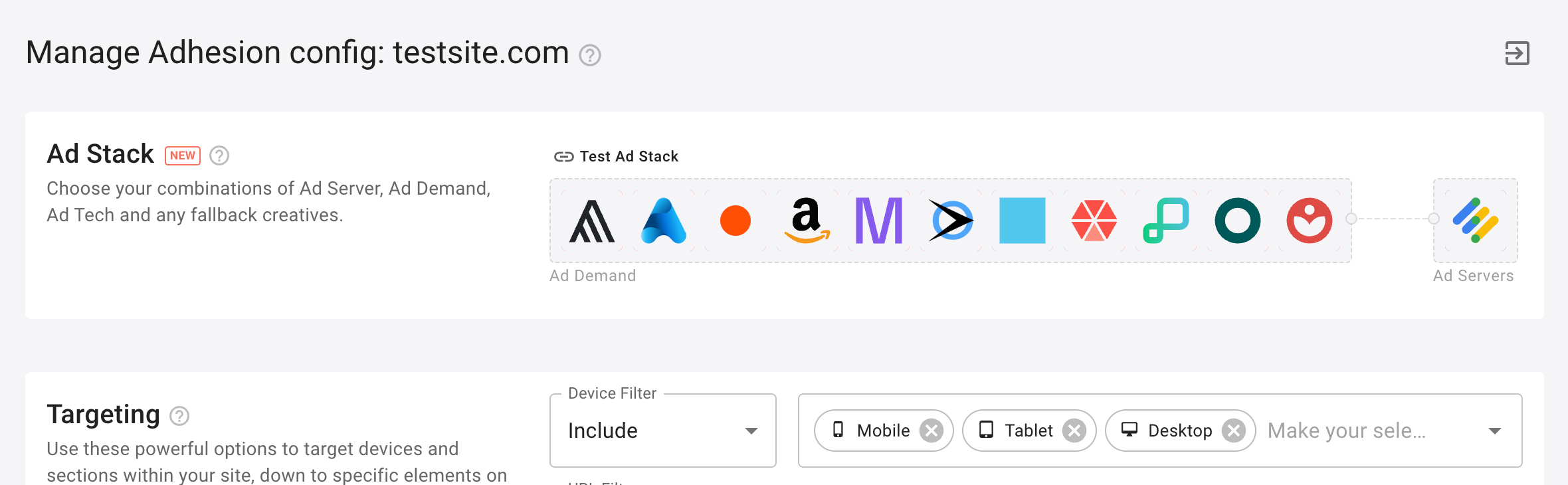
- Duplicate an existing “tag config” that you want to test a timeout on.
- Click into the
Ad Stackyou have set up. - Click
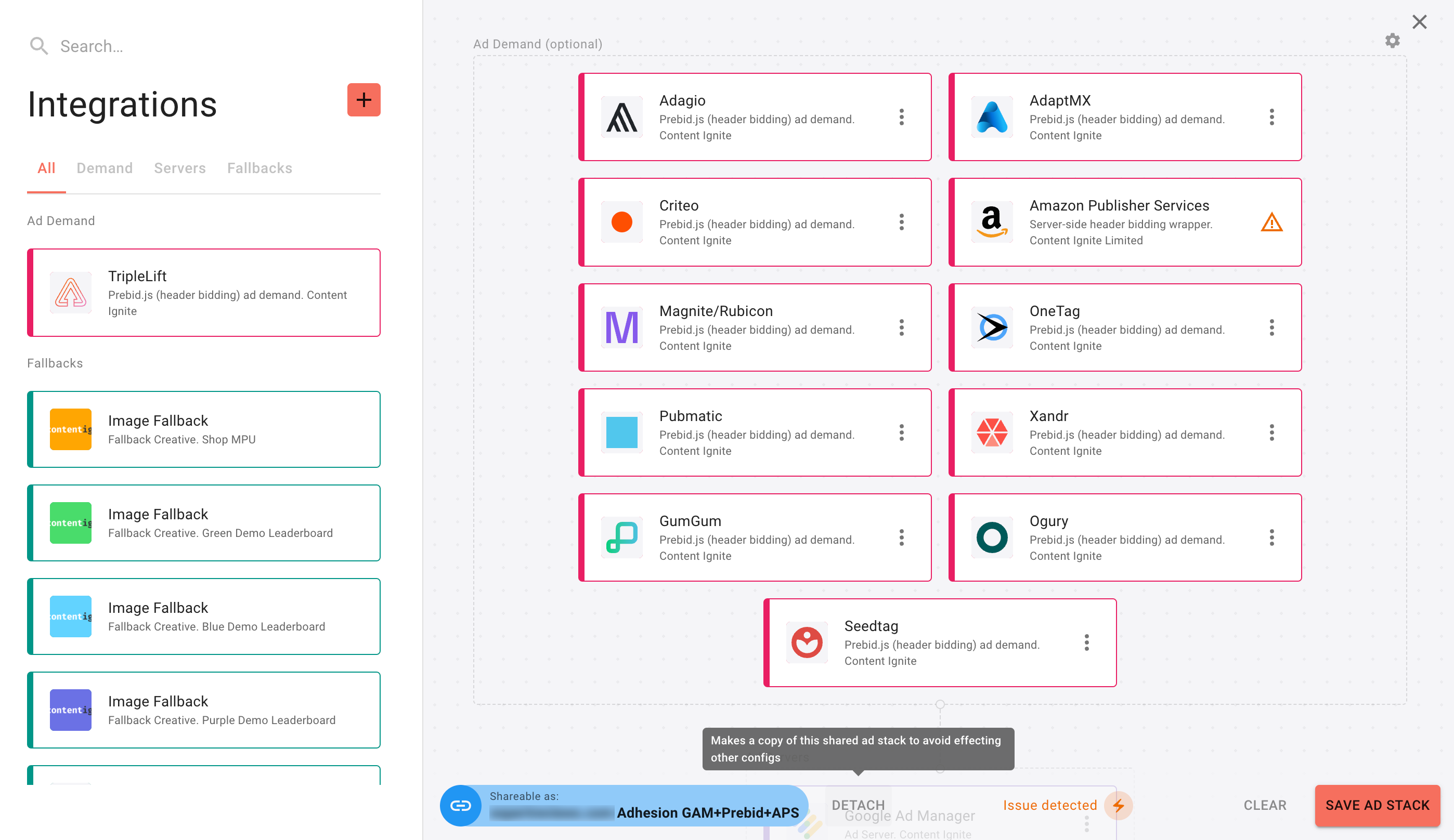
DETACHto create a copy of the existingAd Stack - Rename your
Ad Stack - Click the settings (gear) icon in the top-right of the Integrations window
- Choose your new Bidder Timeout (ms) or scroll down to the Prebid Server Bidder Timeout (ms) section if this is server-side SSP integration.
- Hit
SAVE - Click
SAVE CONFIG - If you are running an experiment, you can leave this “tag config” de-activated, the experiment will automatically activate it on the start date.
- Follow the Experiment setup above
Removing the Poorest Performing SSPs
Not all SSPs contribute equally to revenue generation and can harm on-page latency, therefore reducing revenue potential. Content Ignite allows publishers to run experiments that isolate and analyse the performance of each SSP. This enables you to systemically run tests with configurations that exclude one SSP at a time allowing you to streamline your ad stack for improved efficiency.
How can you set up a SSP-removal experiment?
- Duplicate an existing “tag config” that you want to test a timeout on.
- Click into the
Ad Stackyou have set up. - Click
DETACHto create a copy of the existingAd Stack - Rename your
Ad Stack - Simply drag the SSP out of the stack you’d like to remove for the experiment.
- Hit
SAVE - Click
SAVE CONFIG - If you are running an experiment, you can leave this “tag config” de-activated, the experiment will automatically activate it on the start date.
- Follow the Experiment setup above
Adding Backfill Partners
Adding backfill partners can be a game-changer, especially for unsold inventory. Content Ignite’s platform enables easy integration and testing of new backfill partners alongside existing SSPs. Publishers can experiment with different combinations to see which backfill partners yield the highest fill rates and CPMs.
How can you set up a backfill experiment?
- Duplicate an existing “tag config” that you want to test a timeout on.
- Click into the
Ad Stackyou have set up. - Click
DETACHto create a copy of the existingAd Stack - Rename your
Ad Stack - Simply drag the backfill partner of your choice into the ad stack.
- Hit
SAVE - Click
SAVE CONFIG - If you are running an experiment, you can leave this “tag config” de-activated, the experiment will automatically activate it on the start date.
- Follow the Experiment setup above
Ad Refresh vs No Ad Refresh
Ad refresh rates can significantly influence both user experience and revenue. Content Ignite’s experiment technology allows for the testing of adding refresh or not each tag config to determine the optimal rate that maximises viewability and revenue without compromising user satisfaction.
How can you set up an ad refresh experiment?
- Duplicate an existing “tag config”
- Head to the
Behaviourssection and toggle on (or off) where it saysEnable "Reignite"? - Click
SAVE CONFIG - If you are running an experiment, you can leave this “tag config” de-activated, the experiment will automatically activate it on the start date.
- Follow the Experiment setup above
Optimising Ad Units: In-Image & In-Article
Ad units such as In-Image and In-Article are popular choices, but their performance can vary based on factors like content type and user behaviour. Content Ignite enables publishers to test different units and configurations, allowing them to find the most effective ad unit strategies for their specific audience.
How can you set up an ad unit experiment?
- If you don’t have an In-Image or In-Article ad unit, create one from scratch or if you do, duplicate it.
- Add the necessary
TargetingandBehaviours. ForTargetingon these particular units, you may need someone more technical in your team to set up your targeting, or raise a support ticket with our team. - Click
SAVE CONFIG - If you are running an experiment, you can leave this “tag config” de-activated, the experiment will automatically activate it on the start date.
- Follow the Experiment setup above
Trialling New Locations for IAB Standard Ads
The placement of IAB standard ads (e.g., leaderboard, skyscraper) can greatly affect their performance. By experimenting with new locations for these ads, such as moving them above the fold, publishers can uncover hidden revenue potential.
How can you set up an ad unit experiment?
- We’d recommend duplicating an existing “tag config” for an IAB tag config
- Change (or add) the necessary
Targetingto move your tag config to a new location on the page by using theTarget Elementand CSS selectors. Read more about CSS selectors here. - Click
SAVE CONFIG - If you are running an experiment, you can leave this “tag config” de-activated, the experiment will automatically activate it on the start date.
- Follow the Experiment setup above
Implementing Adhesion Ads
Adhesion (sticky) ad units, which stick to the top or bottom of the screen, can be highly effective but must be used carefully to avoid disrupting the user experience. Content Ignite’s platform allows publishers to test adhesion ads in both top and bottom placements to determine which position performs best. If you’ve never run Adhesion (sticky) ad unit, we’d suggest potentially starting on a non-core geo to begin with so you can analyse both revenue performance and user behaviour.
How can you set up a mobile Adhesion experiment?
- Set up a new “tag config” on the Publisher page by clicking
+ NEW CONFIG - Select
Adhesion - Create your
Ad Stack- https://docs.contentignite.com/publishers/tag-ad-stacks/ - Set the
Device Filterto includeMobilein theTargetingsection, set theGeo filterto includeUnited Kingdomfor example, and inBehaviours, activateRelocate on mobile?for the ad unit to appear in the header. - Click
SAVE CONFIG - Now duplicate that same config, but de-activate
Relocate on mobile? - Click
SAVE CONFIG - If you are running an experiment, you can leave both “tag configs” de-activated, the experiment will automatically activate them on the start date.
- Follow the Experiment setup above
Trialling New Ad Units for Specific Geos
Different geographical regions can respond differently to ad units in terms of CPMs, clickthrough and therefore, revenue . Content Ignite’s experiment technology supports the testing of various ad units across different geographies, helping publishers tailor their ad strategy to the preferences of their audience in specific regions. For example, you could set up an Interstitial unit versus an In-Image unit and see which generates the best peformance for you…
How can you set up an Interstitial versus In-Image experiment?
- Set up a new “tag config” on the Publisher page by clicking
+ NEW CONFIG - Select
Interstitial - Create your
Ad Stack- https://docs.contentignite.com/publishers/tag-ad-stacks/ - Set the
Device Filterto includeMobilein theTargetingsection and set theGeo filterto includeUnited Kingdomfor example. - Click
SAVE CONFIG - Set up a new “tag config” on the Publisher page by clicking
+ NEW CONFIG - Select
In-Image - Create your
Ad Stack- https://docs.contentignite.com/publishers/tag-ad-stacks/ - Set the
Device Filterto includeMobilein theTargetingsection and set theGeo filterto includeUnited Kingdomfor example. - Click
SAVE CONFIG - Now duplicate that same config, but de-activate
Relocate on mobile? - Click
SAVE CONFIG - If you are running an experiment, you can leave both “tag configs” de-activated, the experiment will automatically activate them on the start date.
- Follow the Experiment setup above
Conclusion
In conclusion, Content Ignite's innovative experiment technology is revolutionising the way publishers approach ad performance optimisation. By empowering users to easily design and implement a variety of targeted experiments, from multi-sized ad placements to SSP timeout adjustments, Content Ignite ensures that each decision is data-driven, enhancing both user experience and ad revenue potential. Whether tackling SSP timeouts, exploring new ad placements, or testing different ad unit behaviours, the platform's flexibility and intuitive design pave the way for smarter, more effective advertising strategies. This ability to experiment dynamically and adjust rapidly is not just an operational advantage but a strategic imperative in the ever-evolving digital advertising landscape. As we continue to refine and expand our technological offerings, Content Ignite remains committed to delivering solutions that drive success for publishers worldwide.